![logo-smsmode-2019-long 1-2.png]](https://support.smsmode.com/hs-fs/hubfs/logo-smsmode-2019-long%201-2.png?width=140&height=38&name=logo-smsmode-2019-long%201-2.png)
Your existing SMS messages will remain the same: the same pages, the same functionality – you don’t need to change a thing.
Finding RCS in App
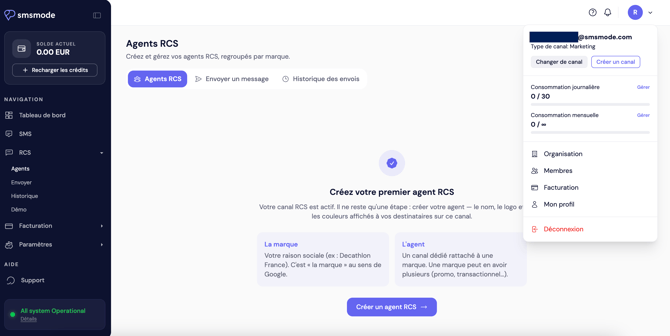
In the side menu, click on RCS.
-
If an RCS channel is already set up on your account, you will be taken directly to it.
-
Otherwise, the interface will prompt you to create a channel to get started.
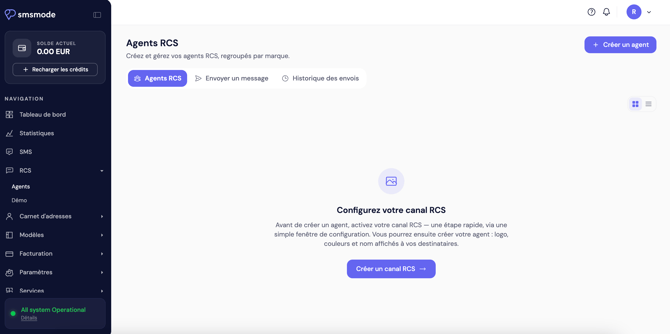
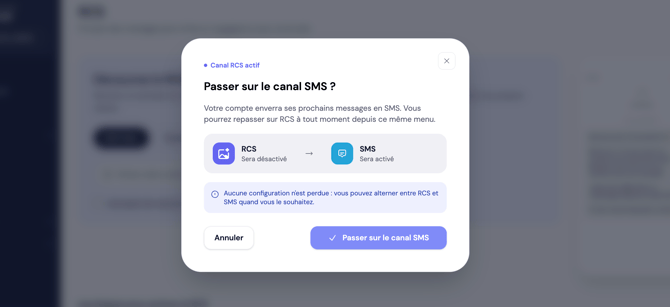
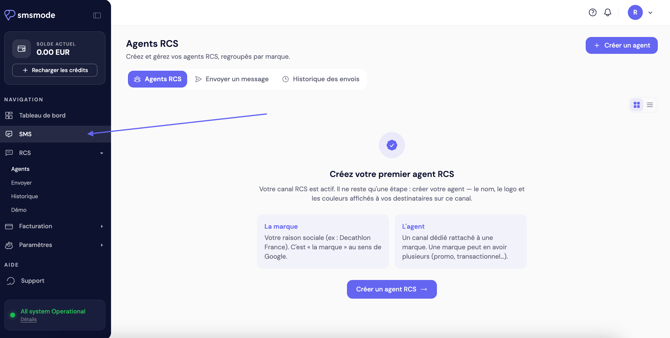
Note: You can return to your previous workspace at any time by clicking on ‘SMS’ in the sidebar, or by selecting an SMS channel. 👇
Depending on your situation
You already have an RCS agent.
Your registered agents appear in the list. Select the one you wish to use, then proceed to send.
You do not yet have an RCS agent.
The RCS system relies on an ‘agent’: the validated brand identity that carries your messages (name, logo, colours).
To activate it, contact your sales representative on +334 91 05 64 63.
The ability to register an agent independently via the interface will be available in a future update.
Send an RCS
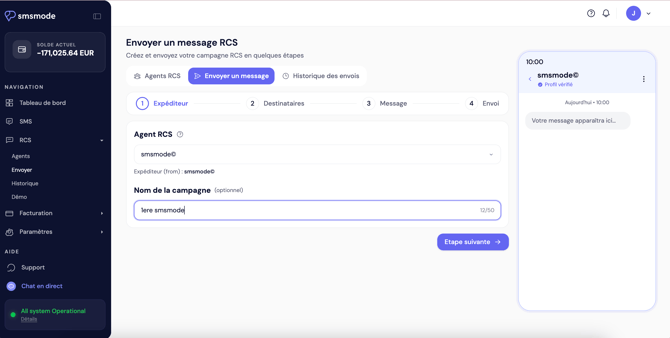
1. Click ‘Send’ in the sidebar. Select the agent you wish to send from and give your campaign a name (optional).
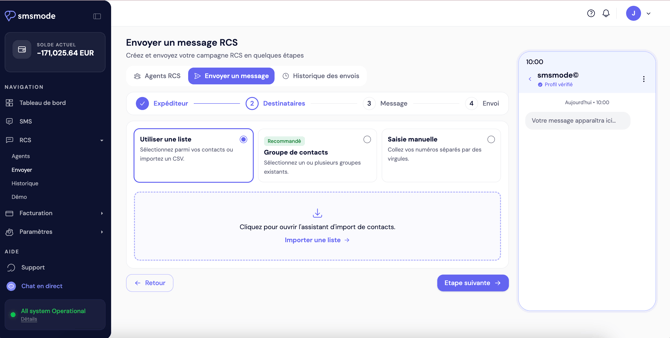
2. Enter the recipients of your message in whatever way suits you best.
3. Select the type of message you want, fill in the details, compose the message and add any suggestions.
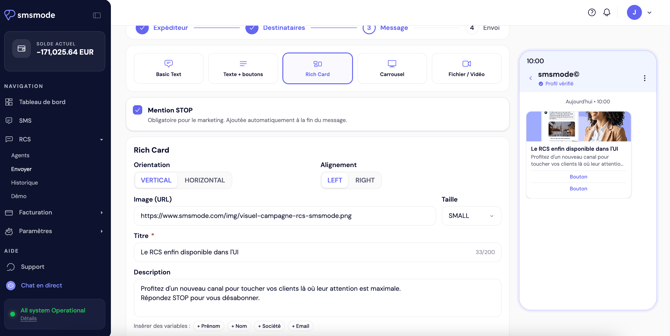
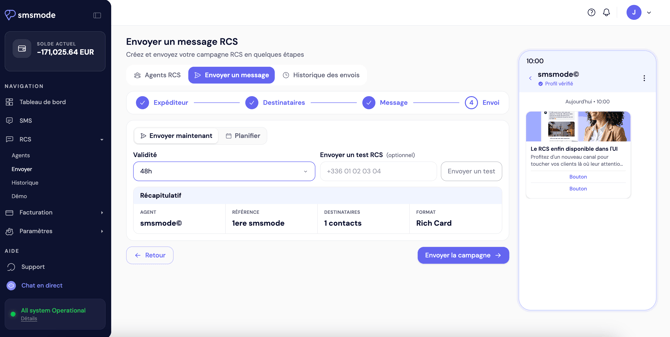
4. Check your message or schedule it. Select a validity period (useful for creating an ‘SMS failover’ segment; e.g. all numbers that have not received the RCS after 1 hour will have a new SMS sent to them)
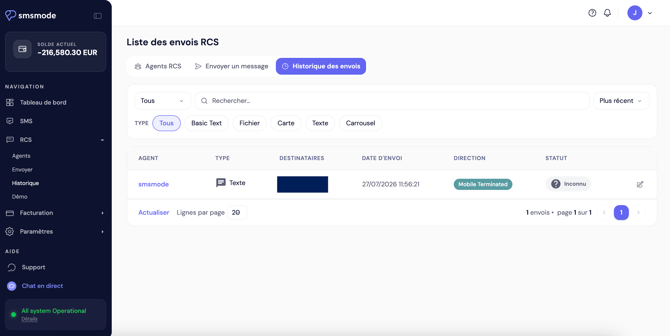
View your history
Click on ‘History’ in the sidebar to view your sent messages.
Return to your SMS account
There are two ways to do this at any time:
-
click on ‘Text messages’ in the side menu;
-
or, using the channel selector at the top of the page, select an SMS channel.
You will see a confirmation window when you return to the text message
You’ll find the same interface you’re used to, with no changes.
Beta version – worth noting
-
This feature is being updated regularly.
-
Your SMS messages are not affected.
Got a question or have you encountered any unexpected behaviour? Contact support.